COPAL FERPA Agent turns a classroom, lecture, or meeting recording into a FERPA-safe copy through a conversation. Upload it, review who appears and what was said, choose who to protect, and export. If anything slips through, select it on the rendered video and mask it on top. Every consequential step is confirmed by a person and written to an audit trail.
Teaching observation, instructional coaching, lecture capture, research under IRB, accreditation evidence, parent and records requests. All of these need a copy of a recording that does not disclose who the students are. A student's face and voice are personally identifiable, and once a recording leaves the course it is an education record someone has to answer for.
Today the choices are poor. Frame-by-frame editing takes hours per recording. Generic blur tools lose a face the moment a student turns or stands up, and do nothing about the names, student IDs, and email addresses that get said out loud or shown on a slide. So recordings either sit unused, or get shared with a risk nobody has measured.
Amara N.Prof. Okafor00:12:41
You do not configure a redaction pipeline or open a video editor. You upload, look at who appears and what was said, choose who to protect, and confirm. The system does the rest.
The original is transcoded once into an immutable master and never altered. Long recordings ingest in the background while you do something else.
Live face overlays on the video, a gallery of every detected person with a face thumbnail and voice sample, and a transcript with names, student IDs, emails, and phone numbers highlighted. Text on slides and whiteboards is picked up too.
Tap the people to anonymize, tune the blur, choose voice anonymization, and give the reason the recording is being shared. A short preview renders in seconds so you can compare it with the original before committing.
You confirm a summary of exactly what will happen, acknowledge who stays identifiable, and your typed reason is recorded verbatim. If something was missed after the render, select it on the video and add a blur or mask on top; only that segment re-renders.
Every feature exists because something goes wrong at the moment a recording leaves the course.
Detection runs on every frame, so the mask follows people as they move, turn, leave, and come back, and releases when they are gone. A feathered mask and adjustable strength keep the rest of the room watchable.
The recording is transcribed with word-level timing and scanned for names (including spelled-out and "call me" forms), student IDs, emails, phones, and addresses. You see every span and exactly how many will be silenced before you export. You can add your own roster of names to look for.
Beyond silencing what was said, each speaker's voice can be altered on its own, so a discussion still sounds like different people talking but none of them sounds like themselves. No student's voice is ever cloned.
Names and IDs that appear on slides, rosters, or whiteboards are found by OCR and covered with opaque boxes, while slide titles and content stay visible.
If a name on a whiteboard or a face in a reflection slipped through, select it on the rendered video and add a blur or an opaque mask on top, for the frames you choose. Only that segment re-renders, and the touch-up is logged like any other action.
Nothing renders without an operator naming the targets, reading the consequences summary, acknowledging who would remain identifiable, and typing a reason. The agent cannot skip this step.
Every action is logged before it is forwarded, and again in an append-only database log that cannot be edited in place. Actions are attributed to the signed-in account. An auditor role gives compliance staff read-only access to all of it.
Every preview and full render is re-scanned for faces that slipped through, and any output can be re-validated on demand.
Exports composite the immutable master with per-person patches. Untouched segments are copied verbatim and re-exports reuse work already done, so a recording edited five times looks like one edited once.
Storage, detection, transcription, rendering, and the audit log all run inside your institution's workspace, on dedicated infrastructure during the beta. Media leaves only as an export a signed-in user downloads. Face detection can optionally run in your browser before upload.
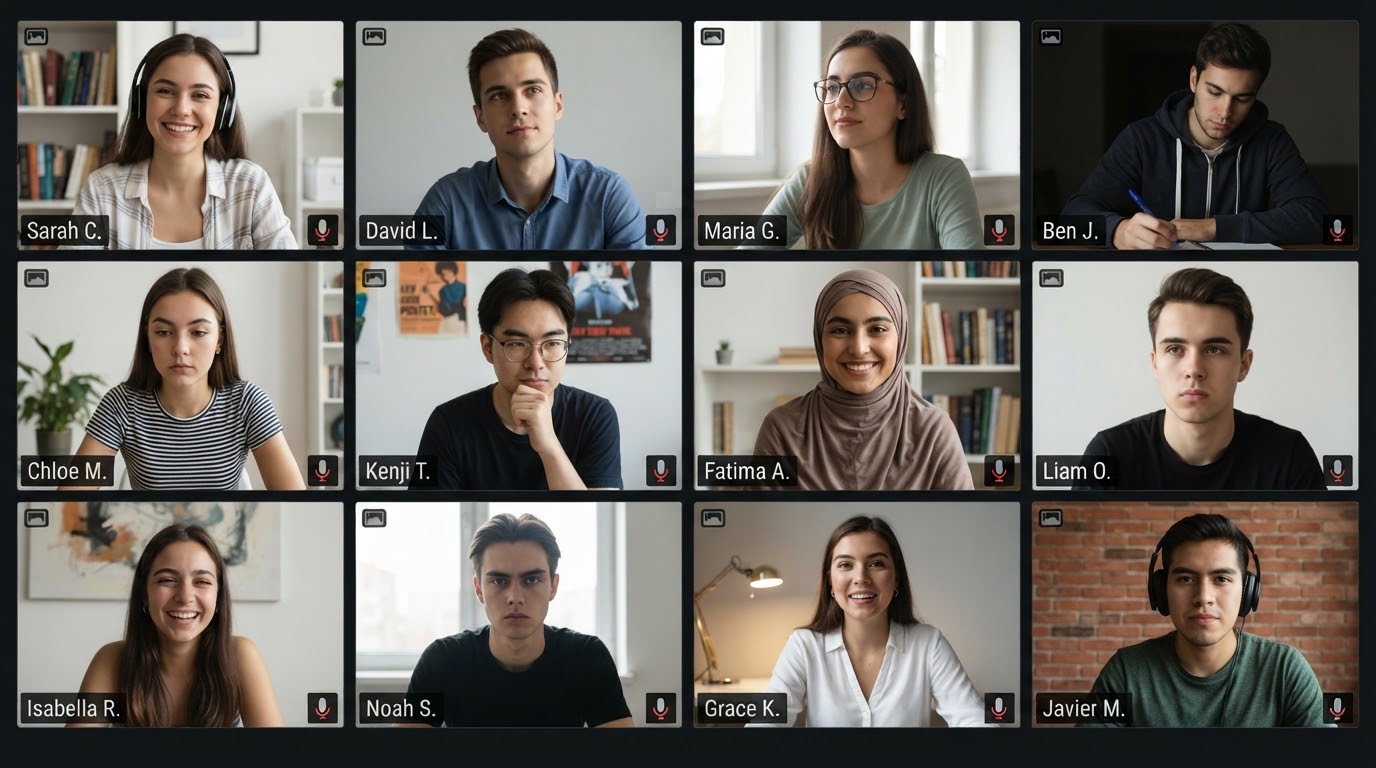
Zoom and Meet gallery recordings are handled as a grid of seats, so each participant is tracked, blurred, and voice-anonymized as their own person even when tiles shuffle.
Operators work with recordings, admins manage users and the queue, auditors read. Everything is scoped to your institution. The same nine operations behind the chat are available over MCP to Claude Desktop, Cursor, or your own agents, through the identical validation and audit path.
A recording enters your institution's workspace once and stays there. Storage, detection, transcription, rendering, and the audit log all run inside that boundary, and media leaves only as an export downloaded by a signed-in user.
Share observation and coaching recordings across departments without a consent chase for every student in the room.
Reuse recorded lectures for future cohorts, open courseware, or training material.
Produce de-identified video for studies and secondary analysis, with the audit record to show for it.
Support professional development, teacher evaluation, and records requests without exposing minors.
Get a per-export record of who did what, to which recording, and why.
Integrate the pipeline into your own tools over MCP and inherit the confirmation and audit model.
COPAL FERPA Agent is in a limited beta. We review every request by hand and admit institutions in small cohorts so we can work closely with each one.
Tell us who you are and what you would use it for. We review each request personally and email you when a workspace is ready.
No. In the current release faces are blurred, not swapped. Blur is deterministic and easy to audit. Photorealistic replacement is on the roadmap as a separate option once we are satisfied it can be verified.
Two things, and you choose either or both. Spans of speech that contain personal information are silenced. And each speaker's voice can be anonymized individually, so different people still sound like different people but nobody sounds like themselves. We never clone a student's voice.
Every render is re-scanned for faces that slipped through. If you spot something the scan did not, such as a name on a whiteboard, select it on the rendered video and add a blur or mask on top for the frames you choose. Only that segment is re-rendered, and the touch-up is written to the audit log like every other action. You never need a separate video editor.
Inside your institution's workspace. Upload, storage, detection, transcription, rendering, preview, export, and the audit log all run within that boundary, on dedicated infrastructure we operate during the beta. Media leaves only as an export downloaded by a signed-in user, and that download is logged like everything else.
That is the intent. The product is built to run on-premises or in your own cloud account, and that is how we plan to deploy it for institutions after the beta. During the beta it runs on dedicated servers we operate, with one isolated workspace per institution.
Common video formats up to 8 GB per file. Classroom cameras, lecture capture, and Zoom or Meet gallery recordings.
It depends on length and content. Ingest runs in the background and you are shown progress for the audio and video lanes separately. Previews of a chosen segment render in seconds; a full render is proportional to the length of the recording.
No. It produces de-identified copies and an audit record of how they were made. Whether a given disclosure is permitted remains your institution's decision, and nothing here is legal advice.
Yes. The nine operations behind the chat are available over MCP (stdio and HTTP), gated by a key, and pass through the same validation and audit path.
Nothing during the beta. We will share pricing with beta participants before general availability.